
CCTV, DVR & NVR Data Recovery in Pune
CCTV data recovery in Pune for deleted, missing, formatted or inaccessible surveillance recordings from DVRs, NVR systems, CCTV hard disks and memory cards used in security cameras, Wi-Fi cameras and vehicle dashcams. Bring the DVR hard disk or memory card to our Kothrud office for assessment.

Important: CCTV Recording Missing or DVR/NVR Storage Failed?
Do not format, initialize, reset or run repair utilities on the affected recording storage. Continued loop recording may overwrite older footage, including video missing from the recorder’s playback menu. If it is safe and appropriate, stop further recording to the affected media, preserve the original drive or card, and note the required camera and date/time before seeking an assessment.
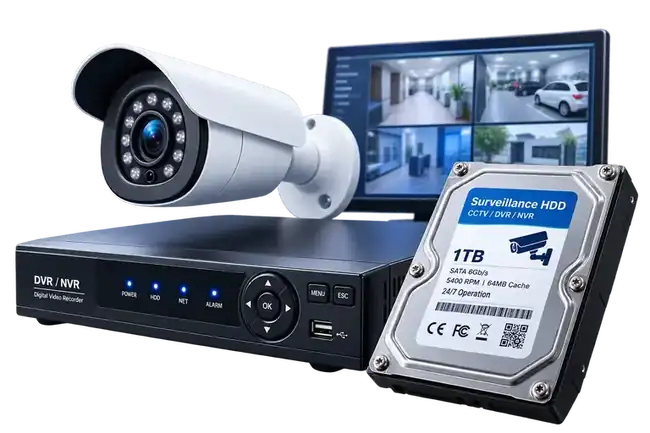
CCTV Data Recovery in Pune for DVR & NVR Systems
Surveillance systems can keep recordings on an internal hard drive, multi-drive NVR storage or removable SD and microSD cards. A recorder can continue to power on and display live cameras even when its storage has failed or the recorded video is no longer accessible.
CCTV, DVR, NVR & Surveillance Media Recovery
Our CCTV data recovery in Pune service covers recorder-based CCTV systems and removable storage used by modern surveillance and vehicle cameras.
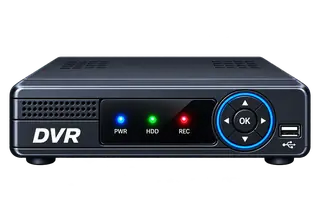
DVR Data Recovery
A DVR may continue showing live camera feeds even when its recording hard drive is failing or the stored footage can no longer be accessed. We assess the drive condition and recording structure before attempting recovery. For damaged disks, see our hard disk data recovery service.
- DVR hard drive not detected
- Missing surveillance recordings
- Corrupted recorder storage
- Deleted CCTV footage
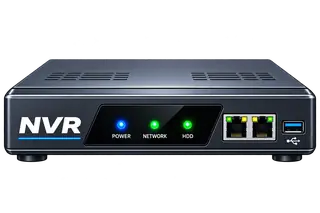
NVR Data Recovery
NVR systems may use a single disk or several drives for continuous recording. When a disk fails or a recording volume no longer mounts, we first assess the member drives and storage structure rather than initializing or rebuilding it.
- NVR storage drive failure
- Recording volume not mounting
- File-system corruption
- Multi-drive NVR storage
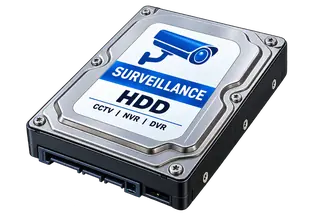
CCTV Hard Disk Recovery
Surveillance hard drives operate continuously and can develop bad sectors, become unstable or stop detecting. When important footage is involved, repeated read attempts are avoided and the drive is assessed before working with the recordings.
- Hard drive not detecting
- Bad sectors and unstable media
- Mechanical HDD failure
- Damaged surveillance file system
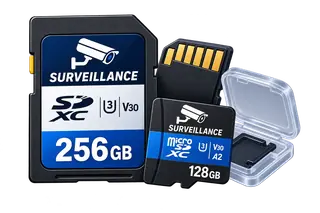
Surveillance Memory Card Recovery
SD and microSD cards in Wi-Fi cameras, dashcams and other compact devices are repeatedly written as recordings loop. If video disappears or the card becomes unreadable, continued recording can overwrite footage that may still be recoverable. For card-specific problems, see our USB and SD card recovery service.
- Wi-Fi and IP security cameras
- Car dashcams
- Video doorbells
- Body and action cameras
- Formatted or corrupted cards
Surveillance Memory Card Data Recovery
Modern Wi-Fi cameras, IP cameras, dashcams and video doorbells often record directly to SD or microSD cards. When footage is deleted, the card is formatted or the device stops reading it, we check the card condition and available video data before making changes to the original media.
CCTV Recording Problems We Commonly Handle
Recovery possibilities depend on the condition of the storage device and whether missing video has subsequently been overwritten.
Storage Not Detected
The recorder may power on normally but stop detecting its hard drive or memory card. We check whether the problem is with the storage media rather than assuming the recorder itself has failed.
Recordings Missing
Recordings can disappear from the playback menu even though some video data remains on the storage. The recording structure and file system need to be examined before concluding that the footage is gone.
Deleted Video Footage
Deleted CCTV footage is particularly time-sensitive because recorders continuously reuse storage. If newer recordings have overwritten the same area, the older video may no longer be recoverable.
Formatted Storage
After formatting, avoid recording new footage to the same hard drive or memory card. Whether older recordings remain recoverable depends on the format operation and what has been written afterward.
Corrupted SD / microSD Card
Dashcams and Wi-Fi cameras can stop recognizing a card after file-system corruption, interrupted writes or media errors. Repeated formatting or repair attempts should be avoided when the recordings are important.
Failed Surveillance HDD
A surveillance HDD can become very slow, develop bad sectors, disappear from the recorder or suffer a mechanical fault. Continued recording or repeated power cycles can put additional stress on an unstable drive.
What Makes CCTV & DVR Recovery Different?
CCTV storage is not like a normal computer hard disk. These are the reasons surveillance footage needs a different approach from ordinary file recovery.
Loop Recording Can Overwrite Footage
DVRs and NVRs continuously reuse storage. Once new video overwrites the required time range, older footage may no longer be recoverable.
Recorder-Specific Storage Layouts
Some recorders store recordings using nonstandard partitions, indexes or interleaved video data. H.264 and H.265 describe video compression, not the disk file system; ordinary file-copy software may not recognize the recordings.
Time & Date Indexing Matters
Recording dates, camera channels and indexes can be missing even when some video data remains. Their recovery depends on the recorder format and the information still available.
Multi-Channel Video Structures
A single surveillance drive may contain interleaved recordings from several cameras, making ordinary file-copy methods ineffective.
Storage Failure Can Be Separate
The DVR or NVR can be healthy while its hard drive or memory card is failing, corrupted or no longer readable.
Preserve the Original Evidence
When footage is important, stop recording to the affected media so new video does not alter or overwrite the original storage.
A Surveillance-Specific Recovery Process
For CCTV data recovery in Pune, the workflow focuses on preserving the original recording media, identifying the recorder format, reconstructing footage and verifying the required camera and time range.

Recorder & Time-Range Review
We note the recorder model, number of cameras, approximate date and time of the required footage, and what happened before the recordings disappeared.

Media Condition Check
The hard drive, SD card or microSD card is checked for detection, stability and physical or logical problems before recovery work begins.

Recording Structure Analysis
We examine the file system and recorder-specific video structure and identify the available channels, timestamps and recording data where possible.

Video Reconstruction
Where the storage and recording format allow it, available surveillance video is extracted to separate media without writing recovered files back to the original device. Some recordings may be incomplete or not playable.

Time-Range Verification
Available recovered video can be reviewed by camera channel and required time range, where the recording structure permits, before final delivery.
CCTV Data Recovery for Common DVR and NVR Brands
We assess hard disks and memory cards from the CCTV recorders and surveillance drives most commonly installed in homes, shops, offices and societies across Pune.
- Hikvision
- CP Plus
- Dahua
- Prama
- Uniview
- Honeywell
- Godrej
- Bosch
- Panasonic
- Zicom
- WD Purple
- Seagate SkyHawk
Data Recovery Pune is an independent data recovery service and is not affiliated with, authorised by or endorsed by any of these manufacturers. Brand names are trademarks of their respective owners and are used only to describe the systems we work on.
CCTV and DVR Recovery in Kothrud, Pune
Our office is in Kothrud, and homes, shops, offices and housing societies bring DVR hard disks and camera cards to us from across Pune and PCMC. Call before visiting.
Visit Our Office
Data Recovery Pune
153, Sant Gangaram Road, Chaitanya Nagar, Kothrud, Pune, Maharashtra 411038
Phone: +91 94221 94222
Before You Visit
Note the camera number, the date and the approximate time of the footage you need. Stop recording to the drive or card if it is safe to do so. Bring the DVR or NVR hard disk, or the whole recorder if you are unsure how to remove it, along with the recorder brand and model.
Also see our hard disk data recovery and SD card data recovery services.
Need CCTV, DVR or NVR Video Recovery?
Contact Data Recovery Pune in Kothrud for CCTV data recovery in Pune, including diagnosis and recovery options for CCTV DVRs, NVR systems, CCTV hard disks, SD cards and microSD cards.
CCTV & Surveillance Data Recovery FAQs
Can CCTV footage be recovered from a failed DVR hard drive?
Sometimes. A failed DVR hard drive may still contain usable recording data, but the result depends on the physical condition of the drive and the recorder’s video structure. We assess the drive before attempting to extract footage.
Can deleted CCTV footage be recovered?
Sometimes, but continued recording is the biggest concern. DVRs and NVRs reuse storage continuously, so once newer video overwrites the required time range, the older footage may no longer be available.
Can video be recovered from a dashcam memory card?
Sometimes. Recovery depends on the card condition and whether the required video has been overwritten. Stop using the dashcam and, when safe to do so, preserve the original memory card.
Can recordings be recovered from a Wi-Fi security camera?
If the camera records locally to an SD or microSD card, the card can be evaluated for available video data. Cloud-only recordings are not stored on the card and therefore are outside this type of media recovery.
Should I format the storage when the camera or DVR asks me to?
No. If the recordings are important, cancel the format or initialize prompt and stop recording to that storage. Formatting can change the storage structure, and continued recording can overwrite the footage you need.
Can recovered surveillance footage be verified?
Yes. Available recovered recordings can be reviewed before final delivery. Where timestamps and channel information can be reconstructed, the required camera and time range can also be checked.
Do I need to bring the whole DVR or only the hard disk?
The hard disk is usually enough, along with the recorder brand and model. If you are not comfortable removing the disk, bring the whole DVR or NVR switched off. For NVRs with several disks, bring every disk and note which slot each came from.
How much does CCTV data recovery cost in Pune?
The cost depends on the condition of the hard disk or card, the recorder format, the capacity and how much footage needs to be extracted. We assess the storage first and explain the options and charges before recovery work starts.
Where can I get CCTV footage recovered in Pune?
You can bring the DVR hard disk or memory card to Data Recovery Pune at 153, Sant Gangaram Road, Chaitanya Nagar, Kothrud, Pune 411038. Call +91 94221 94222 before visiting.
Can CCTV footage be recovered after it has been overwritten?
If newer recordings have physically overwritten the original data, that older video cannot normally be recovered from the same media. Footage missing from the playback menu is different: it may still exist, depending on the recording structure and storage condition.
Why does a computer not recognize recordings from a DVR or NVR hard drive?
Some recorders use nonstandard file systems, recording indexes or multi-channel video layouts. Video formats such as H.264 and H.265 are compression formats, not file systems. Whether footage can be extracted depends on the storage condition and the recorder’s data structure.