
Data Recovery in Kothrud — Visit Our Lab
Looking for a place in Kothrud to have an inaccessible hard disk, SSD or laptop assessed? Data Recovery Pune is based on Sant Gangaram Road in Chaitanya Nagar. You can bring the affected storage device to our lab and explain what happened before the files became unavailable.
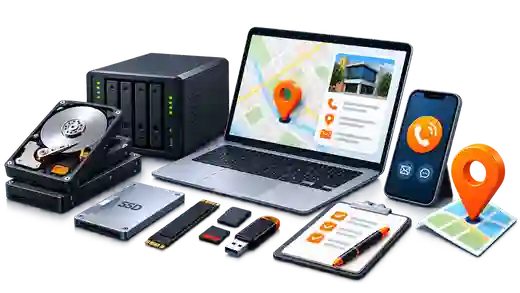
We assist individuals, professionals and businesses with storage failures, missing files and damaged recording media. Please call +91 94221 94222 before visiting so we can confirm availability and advise you on what to bring.
Our Kothrud address and visiting hours
Data Recovery Pune153 Sant Gangaram Road, Chaitanya Nagar, Kothrud, Pune 411038
+91 94221 94222
Monday–Saturday, 11:30 am–6:30 pm IST. Closed on Sunday. Call before travelling to confirm device handover arrangements.
Visiting from nearby
The map points to our Kothrud location. If you are visiting from Karve Nagar, Warje, Erandwane, Bavdhan or another part of Pune, use this same address for drop-off.
See also Pune & PCMC areas we serve.
Which device should you bring?
For an external hard disk, keep the original cable and power adapter available and ask whether they are needed. For a laptop, bring the computer with its charger if you are unsure about the storage inside it. There is no need to remove a drive yourself simply to arrange an assessment.
For RAID or NAS storage, preserve every member drive, including one marked as failed, and record each original bay position. Call first to discuss whether the enclosure or controller is needed. For CCTV footage, note the recorder model, camera channel and approximate date and time required. Keep memory cards protected in a case, and bring all pieces of a USB drive with a broken connector.
Recovery assessment for your storage type
A drive that is not detected, a laptop that will not start and a recorder with missing footage can require very different work. These service pages explain the relevant storage types and recovery limitations before your visit.
What happens after device drop-off?
Tell us when the problem started, whether the device is still detected, what has already been tried and which files matter most. We assess the device condition and explain practical recovery options. Charges and a realistic timeframe are discussed after diagnosis; a successful result cannot be promised before evaluation.
Diagnosis is free for non-tampered hard disks. For SSDs, RAID, CCTV and other devices, any assessment charges are explained before starting. Our No Data – No Charge policy applies to eligible non-tampered devices; confirm eligibility and case-specific terms during assessment.
Devices and recovered information are handled confidentially. Available recovered folders and files can be reviewed before final delivery, so you can check the result before your data is transferred to suitable replacement storage.
Before you set out
If a drive clicks, repeatedly disconnects or behaves abnormally, leave it switched off rather than testing it again before the visit. Avoid formatting, repair utilities and operating-system reinstalls on affected storage. Keep a short note of the symptoms and previous attempts instead.
Call +91 94221 94222 to discuss your device and arrange drop-off at our Kothrud lab. For the full service overview or submission details, use the links below.
Kothrud lab — frequently asked questions
Where exactly is your Kothrud lab?
Data Recovery Pune is at 153 Sant Gangaram Road, Chaitanya Nagar, Kothrud, Pune 411038. Use the Google Maps directions link above for the lab location.
Can I visit after work or on a Sunday?
Our hours are Monday–Saturday, 11:30 am–6:30 pm IST; Sunday is closed. Please call +91 94221 94222 before travelling to confirm availability.
Should I remove the drive before bringing my laptop?
If you are unsure, bring the whole laptop with its charger. Call first so we can advise on the device; you do not need to remove storage yourself to arrange an assessment.
Is diagnosis free for every device brought to Kothrud?
No. Diagnosis is free for non-tampered hard disks. For SSDs, RAID, CCTV and other devices, we explain any assessment charges before starting. Recovery charges depend on diagnosis and the work required.
What information helps when I drop off a device?
Tell us when the fault began, whether the device is detected, any recovery or repair attempts already made and the files you need most. For multi-drive storage, preserve all drives and their original slot order; for CCTV, note the required camera and time range.